

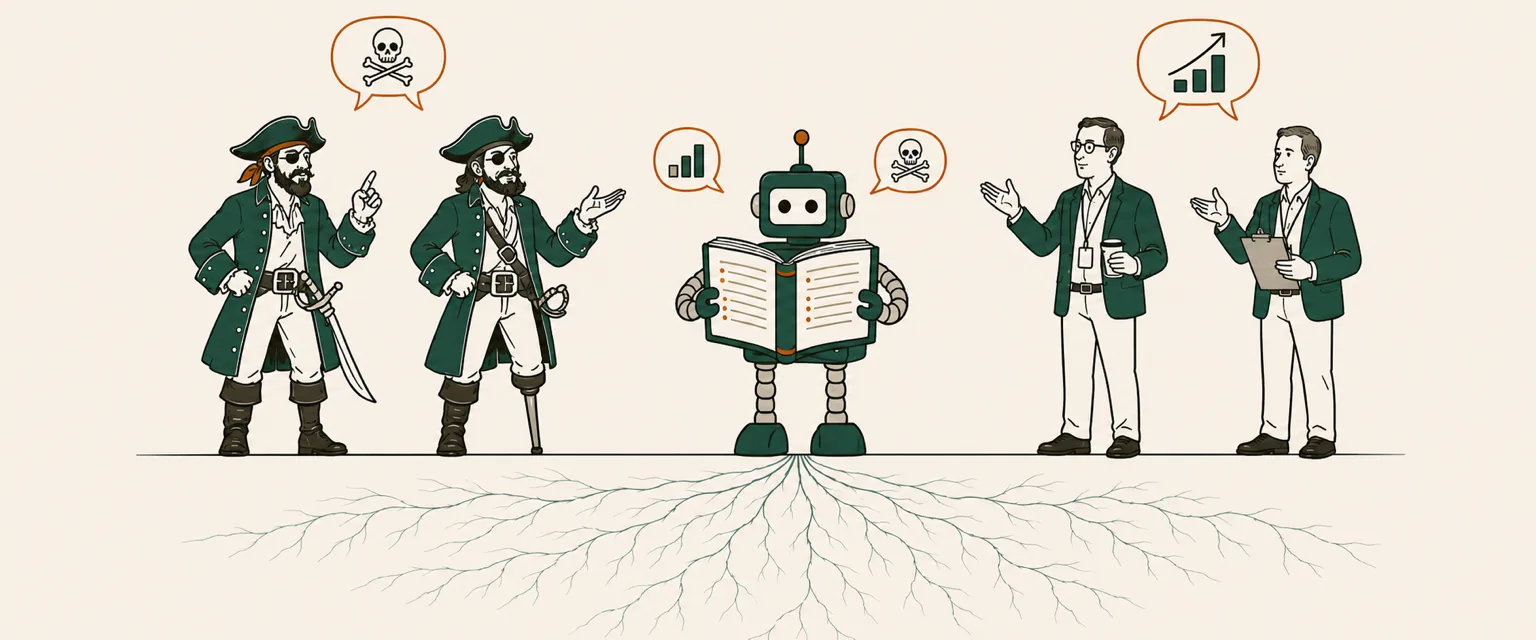
As CEOs start using AI, two things trip them up early: getting consistent results, and building the tooling and context a real workflow needs. It can be difficult to go from Anthropic's abstract instructions to a practical implementation, so I put together a small Claude Cowork project that demonstrates both — you can build it in about twenty minutes, and it illustrates general principles that carry over to most AI projects.
Two of the most impenetrable dialects in business life are corporate jargon and pirate. One asks you to leverage synergies and boil the ocean; the other to mind the Black Spot and hoist the colours. So we'll build Claude a translation service between them — a two-way bureau that turns an all-hands email into a captain's address, and a captain's address back into an all-hands email.
Here is what it does to a perfectly ordinary Monday memo:
In: "As we circle back on Q3, let's leverage our synergies and boil the ocean to move the needle. Low-hanging fruit only; we've got a tight runway."
Out: "As we come about on the third quarter, let us pool our plunder and drink the sea dry to shift the compass. Only the booty in the shallows, mind; our provisions run thin afore we founder."
It is a joke. And it's also a useful illustration of a common application of AI: translating the written word so that it resonates for a particular audience, like your customers.
The takeaway: A jargon-to-pirate translator is a toy. But getting it to stay in character run after run — every memo, every cold start — takes the same four moves that give Claude a foundation for real work like customer replies or contract triage: a project, layered instructions, a connected folder, and the brief those instructions point at. The costume is a joke. The method is not.
Why a silly translator is a serious test
The hard part of using Claude for real work is reproducibility: the same good answer on Tuesday that you got on Monday, on a teammate's machine, in a chat that starts cold. One good answer is easy; reproducing a good result with minimal supervision is the goal, and many teams never get there. They get a brilliant result once, can't reproduce it, and go back to doing the thing by hand.
A translator makes that failure visible. If the voice drifts — if Monday's memo comes back as Long John Silver and Tuesday's comes back sounding like it was written by the chairman of a yacht club — you see it instantly. With most AI work, checking whether it actually worked takes real effort. That makes a translator a good place to practice the discipline on something where a miss costs you a laugh, not a customer.
The four moves behind consistent results
Four things carry the reproducibility, and the setup below is those four in order:
- A project — a container Claude keeps across sessions, so Tuesday's cold start isn't starting from nothing.
- Layered instructions — one global line that applies to every session, one project line that applies only here, so behavior doesn't ride on how you happen to phrase the request.
- A connected folder — real files on your disk that Claude reads and writes, instead of documents pasted into a chat.
- An explicit brief — one file holding the knowledge, which the project instructions point at and Claude reads before every run.
Nothing in that list is specific to pirates, which is the point. Build it once on a joke and you have the shape for the real thing.
Build it: the exact setup
All of this is in Claude Cowork — the agentic desktop mode. No code. The blocks below are meant to be pasted exactly as written.
1. Make the folder. Create a folder (e.g., in the
Finder on a Mac, or File Explorer on a PC) called
pirate-translator containing two subfolders —
to-translate and completed. It will also hold
two files: TRANSLATION-BRIEF.md, the glossary and rules
that do the real work (you'll create it in step 5), and
log.md, the run history — create that one now and start it
with this table (the example row shows the format; you can delete it
once you have real entries):
| date       | source          | output                      | direction          | status  |
| ---------- | --------------- | --------------------------- | ------------------ | ------- |
| 2026-08-01 | all-hands-q3.md | all-hands-q3-translated.md  | business-to-pirate | success |
2. Create a project and connect the folder. In
Cowork: Projects → + → Use an existing folder, and
point it at the pirate-translator folder you just created.
Name the project "Translation Bureau." Claude can now read and write
files in those folders. This project lives on your machine and isn't
shared, so each teammate does this once on their own.
3. Paste the global instructions. Cowork gives you two instruction surfaces you edit in the app — global and project (Customize Cowork). Global instructions apply to every Cowork session, so keep them universal — the Bureau's identity goes in the project (next step), not here. Go to Settings → Cowork → Global instructions → Edit (Get started with Cowork), and paste this exactly:
When you transform or edit a document, preserve names, numbers, dates, currency, percentages, and URLs exactly as written, and return only the finished result unless I ask for your reasoning.One caution before you paste: the global field replaces whatever is already there. If you've set global instructions before, copy what's in that box somewhere safe first, so you can put it back later. And because this line is generic, you have an easy out — skip the global field entirely and paste it at the top of the project instructions in the next step instead. Then it lives with this one project, and your global settings stay exactly as they were.
4. Paste the project instructions. Open the Translation Bureau project, find the Instructions panel on the right (Cowork projects), click the edit button, and paste this exactly:
You are the Moving Average Translation Bureau. This project translates documents between modern business jargon and literary pirate talk (the register of Treasure Island). Translate faithfully first and playfully second, and never break character.

Before translating anything, open TRANSLATION-BRIEF.md in this project's folder and follow it — it is the source of truth for voice and vocabulary.

When I say "translate what's new," translate each file in the to-translate folder that does not yet have a matching file in the completed folder (skip ones already done). For each:
1. Detect the direction from the content — business/corporate writing becomes pirate; pirate/nautical writing becomes business jargon. If a file is neither, or is genuinely ambiguous, skip it and note it in your summary instead of guessing.
2. Translate the meaning faithfully and in voice, following the brief. One paragraph in, one paragraph out; keep greetings, lists, headings, and sign-offs; preserve names, numbers, dates, currency, percentages, and URLs exactly.
3. Save it in the completed folder, named after the source file with "-translated" before the extension (so q3-all-hands.md becomes completed/q3-all-hands-translated.md).
4. Append one row to log.md: date (YYYY-MM-DD), source file, output file, direction (business-to-pirate or pirate-to-business), and status (success, skipped, or failed).

Only handle .md and .txt files. If one can't be read or translated, leave it untouched, write no output, log it as failed with a one-line reason, and keep going. Count a file as already done only when its completed output exists and log.md shows it succeeded. Leave the original in to-translate. When you finish a folder run, reply with a short list of what you translated and what you skipped — not the translations themselves. (If instead I paste a single document into the chat, just return its translation.)
5. Create the translation brief. Open a text editor
(e.g., TextEdit on the Mac, or Notepad on Windows) and create a new file
called TRANSLATION-BRIEF.md, and paste this exactly:
# Translation Bureau — Working Brief

You are the Moving Average Translation Bureau, a two-way translator between modern
business jargon and literary pirate talk (the register of Treasure Island). Read
this brief before every translation. It is the source of truth for voice and vocabulary.

## Rules
- Detect direction from the content: business writing -> pirate; pirate writing -> business jargon.
- Translate the MEANING faithfully. This is a real translation, not gibberish; the reader could act on the result.
- Preserve exactly: names, numbers, dates, currency, percentages, and URLs.
- Keep the structure: one paragraph in, one paragraph out; keep greetings, lists, headings, and sign-offs.
- If a phrase has no glossary entry, render its meaning in plain nautical (or plain corporate) English rather than inventing nonsense.
- One flourish per sentence, not five. A little "me hearties" goes a long way.
- Keep it PG. Never break character. Meaning first, costume second.

## Pirate voice kit
Address: me hearties, matey, ye, lads. The captain is the boss. Connectives, sparingly:
aye, avast, belay that, mark me, savvy. Light grammar tilt: ye / me / afore / reckon.
Everything is a ship, a voyage, weather, plunder, or the crew.

## Two-way glossary (translate by meaning; extend in the same spirit)
| Jargon | Pirate |
|---|---|
| circle back | come about |
| touch base / sync | hail one another |
| take this offline | parley below decks |
| run it up the flagpole | hoist it up the mast |
| ping me | send up a signal flag |
| action items | the day's orders |
| deep dive | dive to the wreck |
| we're aligned | we sail the same heading |
| leverage synergies | pool our plunder |
| boil the ocean | drink the sea dry |
| move the needle | shift the compass |
| low-hanging fruit | the booty in the shallows |
| north star | the pole star we steer by |
| think outside the box | sail beyond the charts |
| pivot | come about / tack hard |
| disrupt the market | raid the shipping lanes |
| table stakes | the ante afore ye may sit at the table |
| runway (cash) | provisions afore we founder |
| burn rate | how fast the powder's spent |
| revenue / returns | plunder / prizes taken |
| unicorn | a galleon laden with Spanish gold |
| KPIs | the tallies in the ship's log |
| OKRs | the captain's standing orders |
| stakeholders | the crew and the shareholders o' the venture |
| onboarding | signing the ship's articles |
| performance-improvement plan | the Black Spot |
| managed out / let go | made to walk the plank |
| headcount | hands aboard |
| the C-suite | the officers on the quarterdeck |
| ship it | set sail |
| the roadmap | the charted course |
| MVP | a raft that floats |
| pipeline | ships on the horizon |
| close the deal | take the prize |

For the reverse direction, read the table right-to-left and add the pirate-only
terms: avast / belay -> "hold on"; parley -> "negotiate"; booty / plunder ->
"returns"; Davy Jones' locker -> "the archive"; the Code / the Articles -> "company
policy"; hoist the colours -> "go to market"; a fair wind -> "favorable conditions";
shiver me timbers -> "well, this is unexpected." Keep proper nouns (the Hispaniola,
Long John Silver) exactly as written.

## Worked examples
Jargon -> Pirate:
IN:  "Team — as we circle back on Q3, let's leverage our synergies and boil the ocean to move the needle. Low-hanging fruit only; we've a tight runway."
OUT: "Me hearties — as we come about on the third quarter, let us pool our plunder and drink the sea dry to shift the compass. Only the booty in the shallows, mind; our provisions run thin afore we founder."

Pirate -> Jargon:
IN:  "Sign the articles, pull hard at the oars, and mind the Code — them that shirk will taste the Black Spot afore the voyage is out."
OUT: "Complete your onboarding, put in the work, and respect company policy — anyone who doesn't pull their weight should expect a formal performance warning before the quarter is out."
That's the whole build. The instruction fields stay short on purpose: the global field is a one-line universal preference, and the project field just points at the brief — which is where all the detail lives. (If you'd rather package the routine as a reusable skill, that's an optional add-on — see the appendix.)
The brief is the engine
In this project design, TRANSLATION-BRIEF.md does the
heavy lifting; it contains the instructions at the core of this
translation work. A Cowork project can carry some memory between
sessions, but that memory is a black box you can't read or edit. The
brief is the memory you can — explicit, inspectable,
version-controlled — so almost everything good about the output traces
back to it.
This architecture has a benefit you'll find handy: because
TRANSLATION-BRIEF.md lives in the project folder, Claude
can edit it at your request. For instance, to give the pirate voice a
bit more swagger, I asked my Cowork project:
Let's improve the translation brief by adding "yo ho" as a pirate exclamation.
This is how you "teach" AI: by improving the context used to create results. You're welcome to edit the file manually too.
More on teaching AI by capturing corrections in the files it reads, see Close the AI Feedback Loop.
Note that this only works because our project instructions directly
refer to the TRANSLATION-BRIEF.md file. Without that link
from instructions to the file, the file has no special powers to shape
how Claude responds to your requests. That link is a small example of an
AI harness — the scaffolding of instructions, files, and tools
you build around the model so it does your work your way.
For more on why the harness matters more than the model, see The AI Harness Beats the Model.
The brief has three parts: the rules that keep it faithful, a two-way glossary you keep extending (the longer it gets, the funnier and more consistent the output), and two worked examples that show Claude the target quality. Extend the glossary and the output sharpens; leave a rule vague, and that's where you will find variation in the output.
Running and scheduling translation work
Making a new translation is simple: add new text or markdown files to the to-translate folder, then open the project in the Claude desktop app and ask it to translate what's new. After a few moments, the translations will appear in the completed folder.
You can also run this on a schedule, which is what the "Scheduled" panel on the right side of the Cowork project does. There is one caveat: because this project's folder lives on your computer, a scheduled run only fires while your desktop app is awake. For a fully hands-off version that runs overnight — one that runs with your laptop closed — the files need to live somewhere Claude can reach on its own, like a connected cloud drive.
When you're done experimenting, put your global instructions back the way you found them — step 3 replaced whatever was in that field. (If you took the easy out and kept that line in the project instructions instead, there's nothing to undo.)
Does it stay consistent?
When you experiment with this project, you will notice a few quirks. First, the output is consistent, but not identical.
In my own testing — seven cold runs from the brief alone, spanning several different memos and Treasure Island passages in both directions — three shared the identical Q3 all-hands memo. All three produced a pirate speech with the same structure and voice, and preserved every name and number. Two were near-verbatim. The third rendered "take the deep-dive offline" as dive to the pricing wreck below decks instead of parley below decks — both faithful.
The reverse direction held up too. Two sessions independently turned Long John Silver's pirate recruiting pitch from Treasure Island into the equivalent for sales:
In (Stevenson, 1883): "They lives rough, and they risk swinging, but they eat and drink like fighting-cocks, and when a cruise is done, why, it's hundreds of pounds instead of hundreds of farthings in their pockets."
Out: "They run lean, and they carry real personal downside, but while they're active they enjoy top-tier perks, and at the close of an engagement, well, it's hundreds of pounds in their pockets instead of hundreds of farthings."
Both sessions reached for "independent operator" on their own and kept the pounds-versus-farthings figure exact. Same meaning, same joke, minor word choice.
There was one wobble. The content was consistent across all
seven runs — but because those cold runs had only the brief to go on,
and the brief says nothing about how to name files, the output
filenames drifted (q3-all-hands-translated.md one
time, all-hands-q3-translated.md the next). Consistency
reached exactly as far as the written instructions were specific, and no
further. That is also how these systems get better: you spot the gap and
pin the rule — which is why the project instructions above name the
exact -translated convention. You get consistency by
writing it down.
Executive AI Build
The pirate translator is a toy. The four moves behind it — a project, layered instructions, a connected folder, and an explicit brief — are how your team gets Claude to do real work the same way twice. Executive AI Build applies them to one real process over four weeks. Start with a free 20-minute call.
Book a free 20-minute call →Nothing here is about pirates
Swap the glossary and the whole thing is a support desk that drafts replies in your house voice, or a bureau that turns messy field notes into clean status updates, or a triage step that flags the risky clause in an inbound contract. The costume changes; the four moves don't. A project to hold the work. Global and project instructions so behavior doesn't depend on phrasing. A connected folder so Claude works on your real files. And a brief those instructions point at, so the knowledge stays explicit and yours to edit.
The project instructions never hold the knowledge themselves — they
point at a file (open TRANSLATION-BRIEF.md and follow
it) and let the file carry it. That link between the instructions
and the files on disk is what scales. Use the same pattern for real
work: point a project instruction at a folder of example replies, your
best past proposals, or a house style guide, and tell Claude when to
draw on it. From there, you improve the output mainly by improving the
files it reads, not by rewriting the prompt.
We've covered some important basics here, but this is far from the limits of AI. A real support desk or contract-triage step also needs domain-specific evaluation, permission boundaries, exception handling, and a human reading the output before it ships. But the translator is a clean run at the two things that trip you up early: getting consistent results, and building the context and tooling a workflow can stand on. That is the layer underneath everything else — explicit context and a repeatable procedure. The pirate voice is just what makes the drift impossible to miss.
Now if you'll excuse me, I have some plunder to pool.
See also: Managing a Workforce of Humans and AI Agents — the same job-description-and-guardrails discipline, applied to agents. And The AI Layer Most Teams Skip.
Appendix: Package the workflow as a skill (optional)
You don't need this to run the Bureau — the five steps above already
do the whole job. But if you want to run the same routine from several
projects, or hand it to a teammate without retyping the workflow,
package it as a skill: a reusable, shareable version of the
steps. Turn on code execution under Settings →
Capabilities, then Customize → Skills → +, and
create a skill from a folder containing this SKILL.md:
---
name: translate-document
description: Translate a document between business jargon and literary pirate talk (Treasure Island register). Use when asked to translate, "piratify," or "de-pirate" a document, or to process the to-translate folder.
---

# Translate a document

1. Read TRANSLATION-BRIEF.md in the project folder and follow it — the source of truth for voice and vocabulary.
2. Detect the direction from the content: business writing to pirate; pirate writing to business jargon. Skip and flag anything ambiguous.
3. Translate the meaning faithfully and in voice. One paragraph in, one paragraph out; keep greetings, lists, headings, and sign-offs; preserve names, numbers, dates, currency, percentages, and URLs exactly.
4. To process the to-translate folder: handle only .md and .txt files; translate each that isn't already done (its completed/<name>-translated file exists and log.md shows success); save each to completed/ with "-translated" before the extension; append to log.md (date, source, output, direction, status). If a file can't be read or translated, leave it, write no output, log it failed with a reason, and continue. Then reply with the files done and skipped. For a single pasted document, return only its translation.
The skill packages the steps, but each project still needs
its own TRANSLATION-BRIEF.md and the
to-translate/completed folders — to hand the
whole thing to a teammate, share the folder (brief included), not just
the SKILL.md. Keep the workflow in one place: the project
instructions or the skill. If you adopt the skill, shorten your
project instructions to "To process the to-translate folder, use the
translate-document skill."